Account Setup Guide
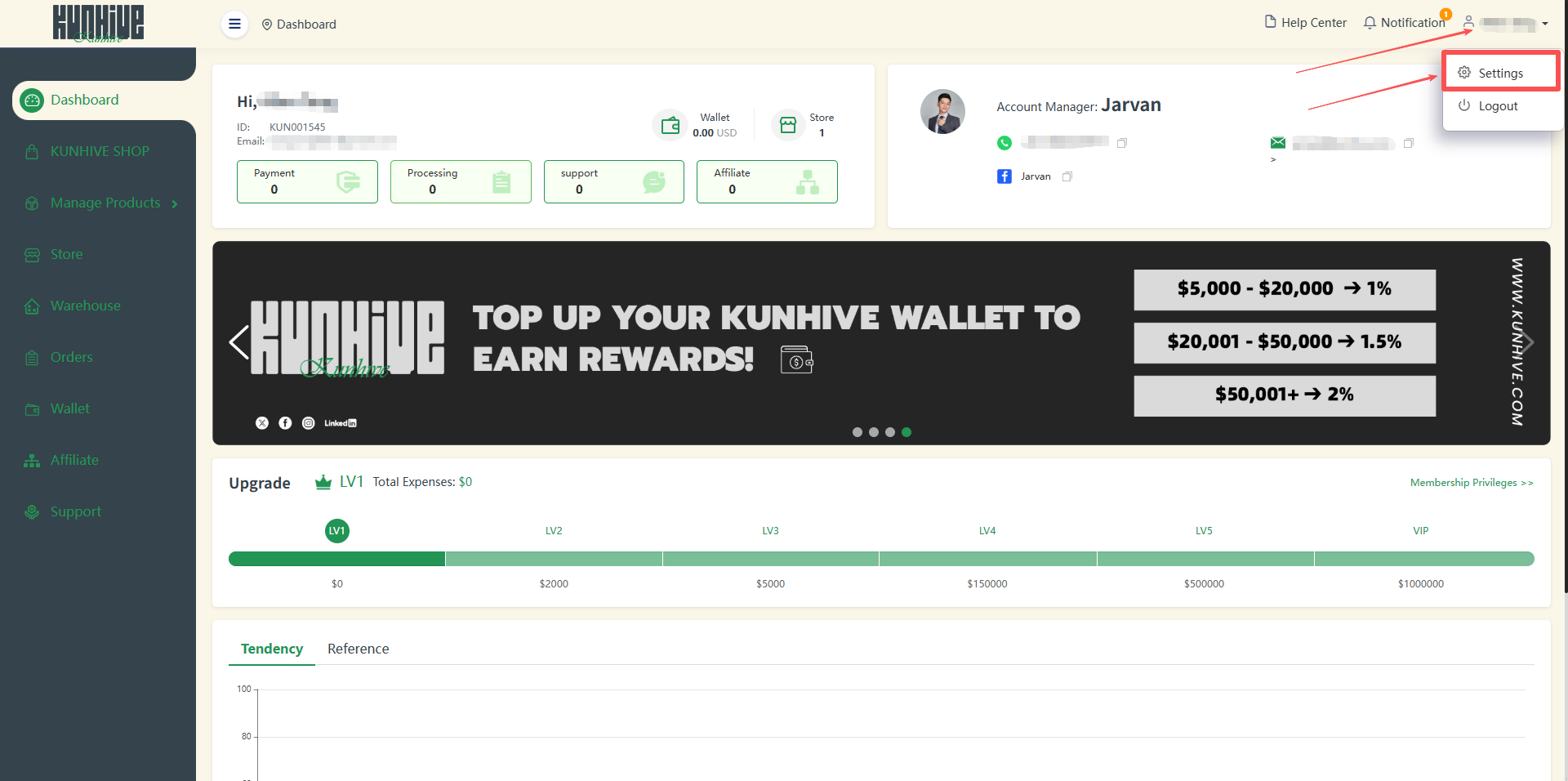
1This post will explain how the settings function works. After you mouse over the personal information bar in the upper right corner, two options will pop up, one is ‘Settings’ and the other is ‘Logout’, click on the ‘Settings’ button.
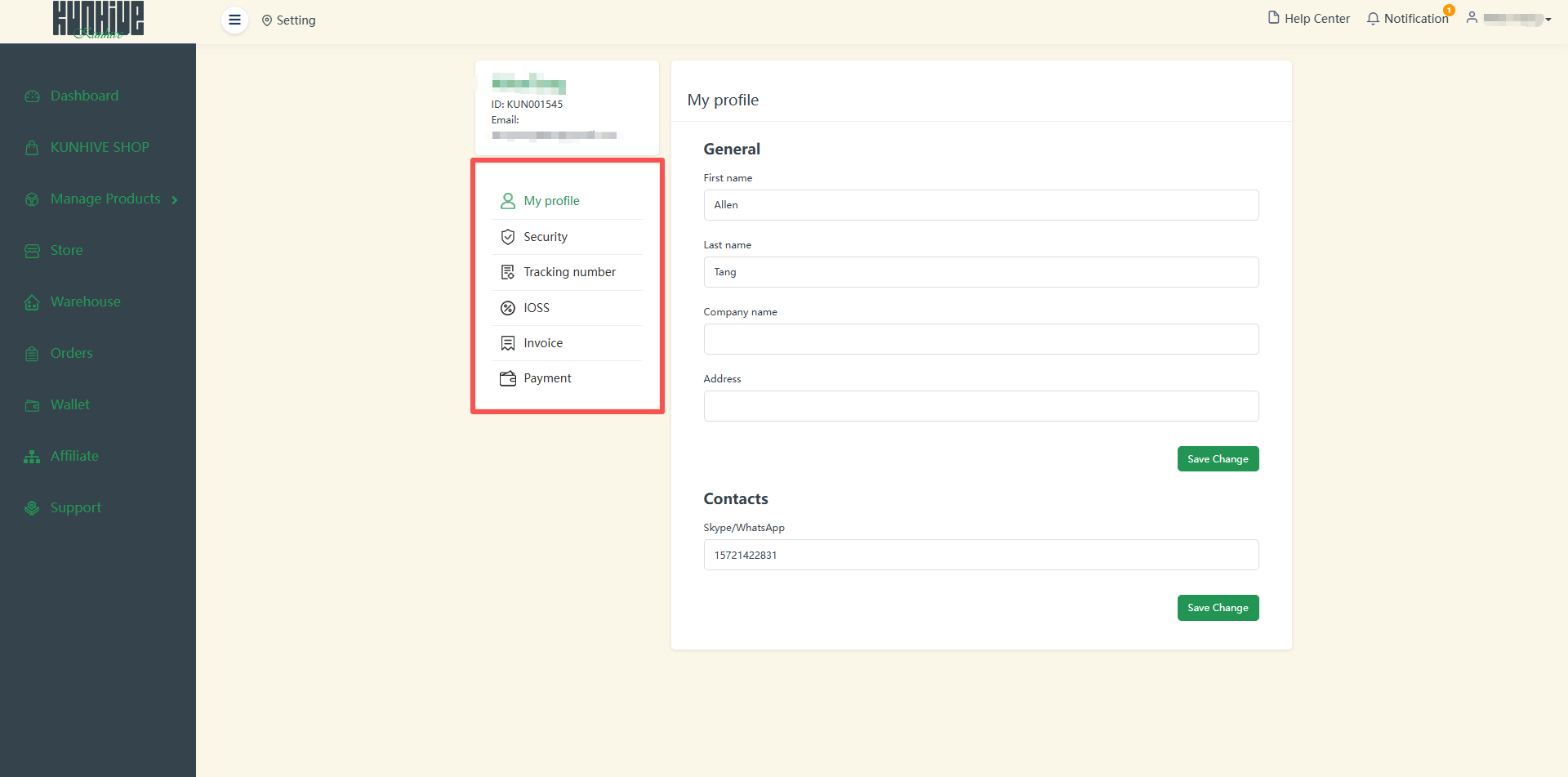
The Settings screen is divided into My profile, Security, Tracking number, IOSS and Invoice sections.
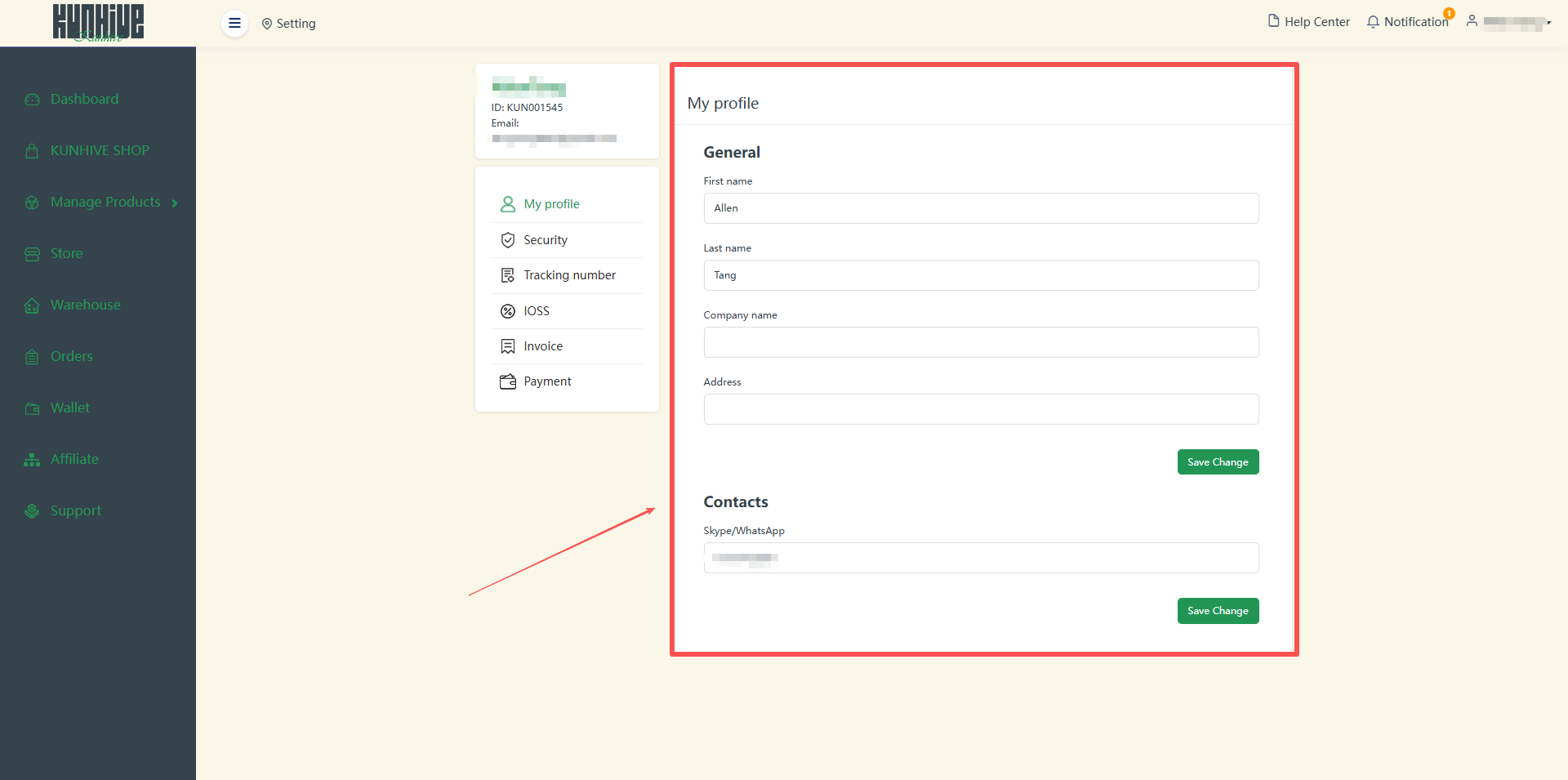
In the My profile section is some basic information about you which includes name, company name, address and contact details.
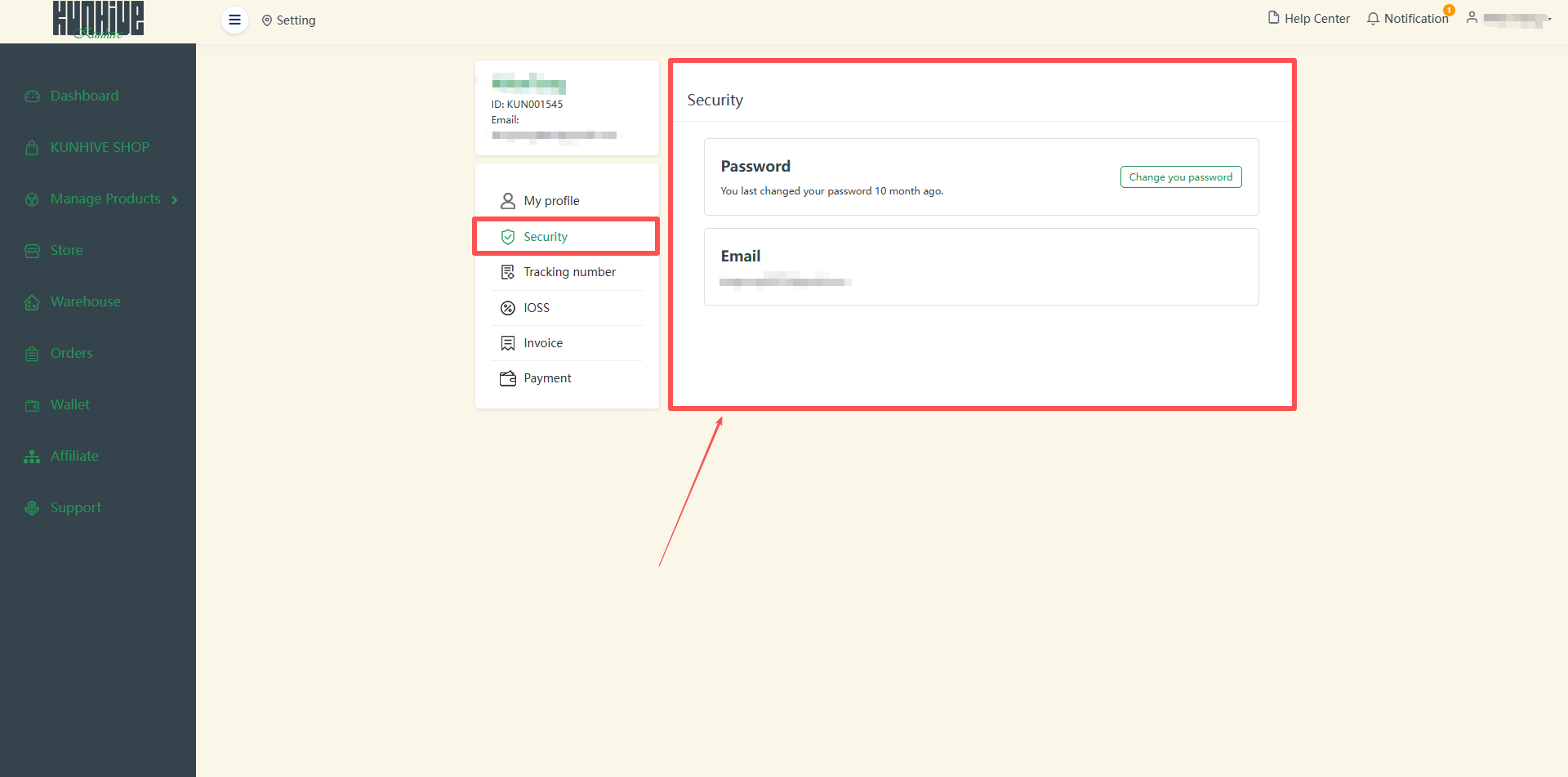
In ‘Security’, you can see your e-mail address and change your login password.
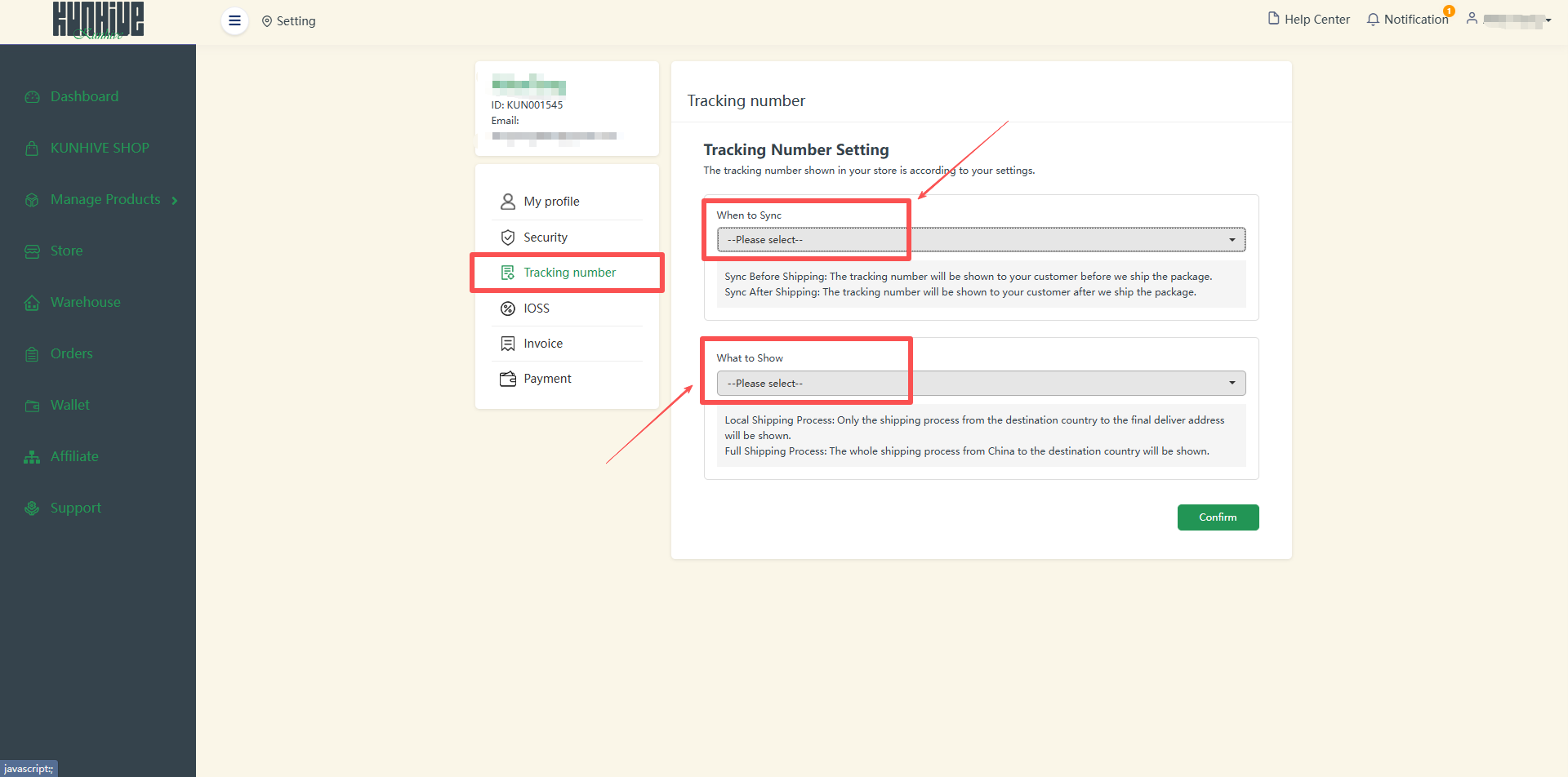
In ‘Tracking number’ you can add some configurations about the tracking number.
You can choose to synchronize tracking order numbers with your customers before or after shipment. You can also set up a display of the complete logistics process or the local logistics process.
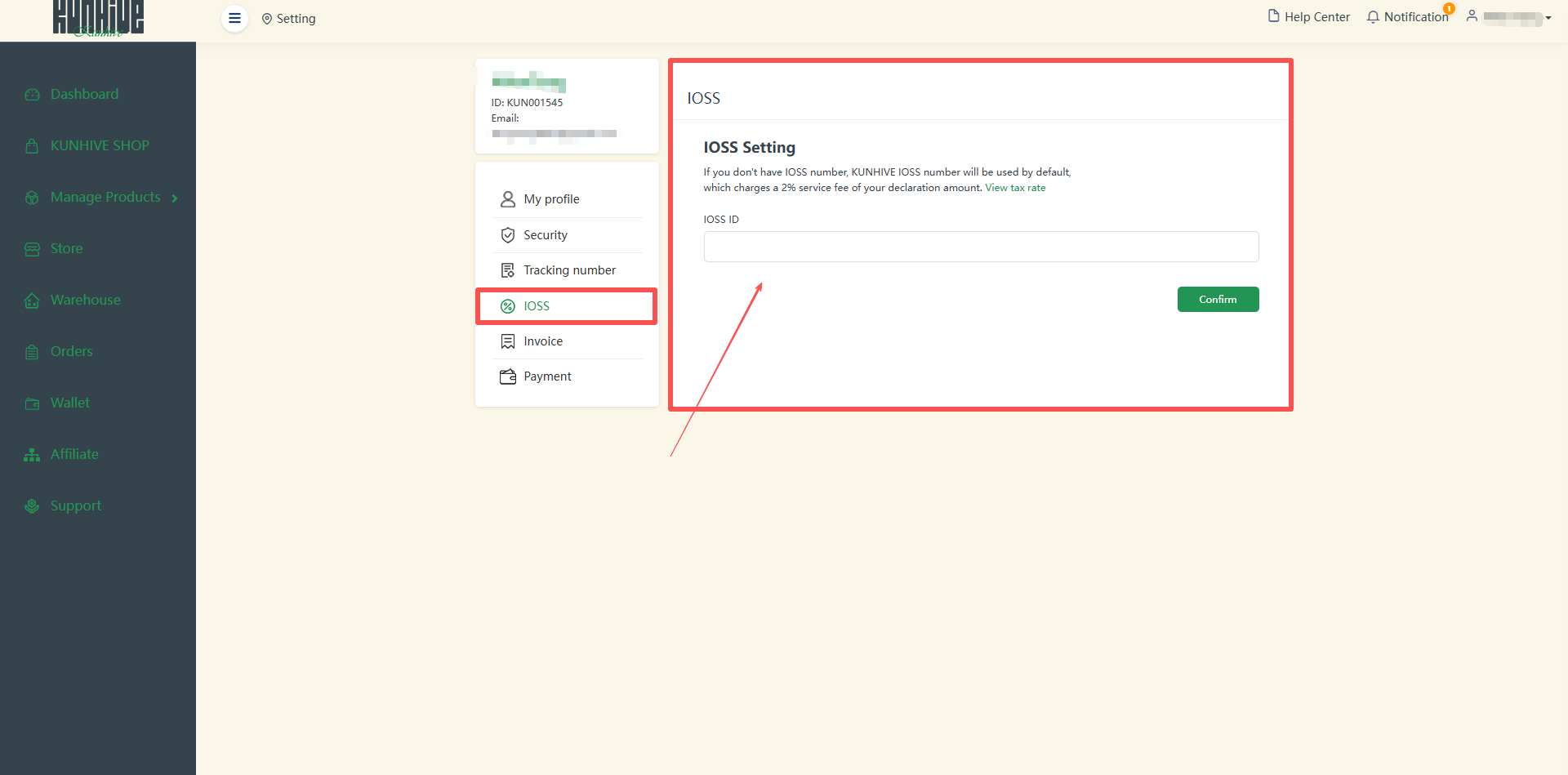
If you do not have an ‘IOSS’, you will use the number assigned to you by KUNHIVE and click on ‘View tax rate’ to view the full tax rate.
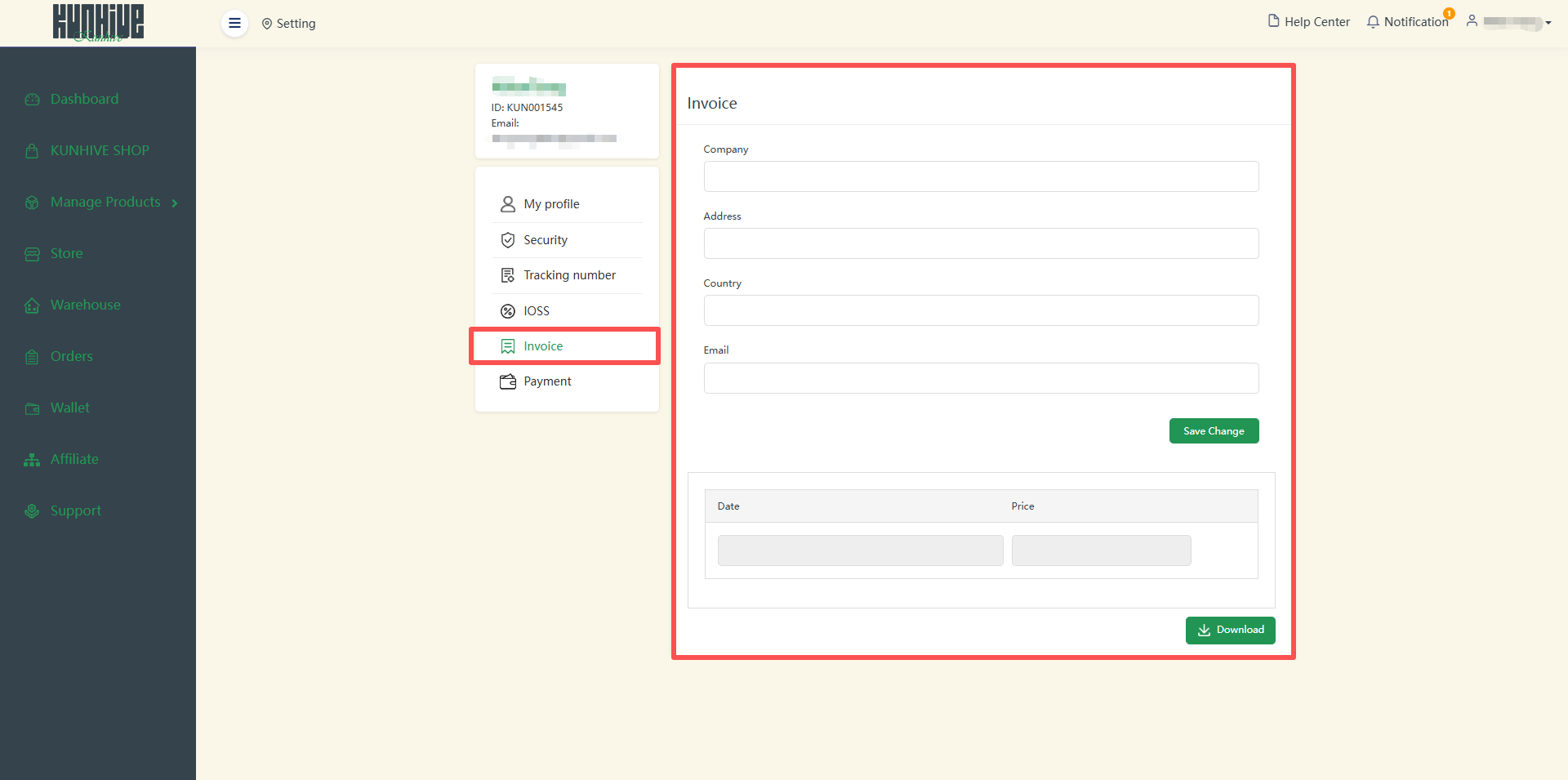
You can create an invoice in the ‘Invoice’ section. In the upper part you need to complete the basic information about your company and person, and in the lower part you can choose between time and money.
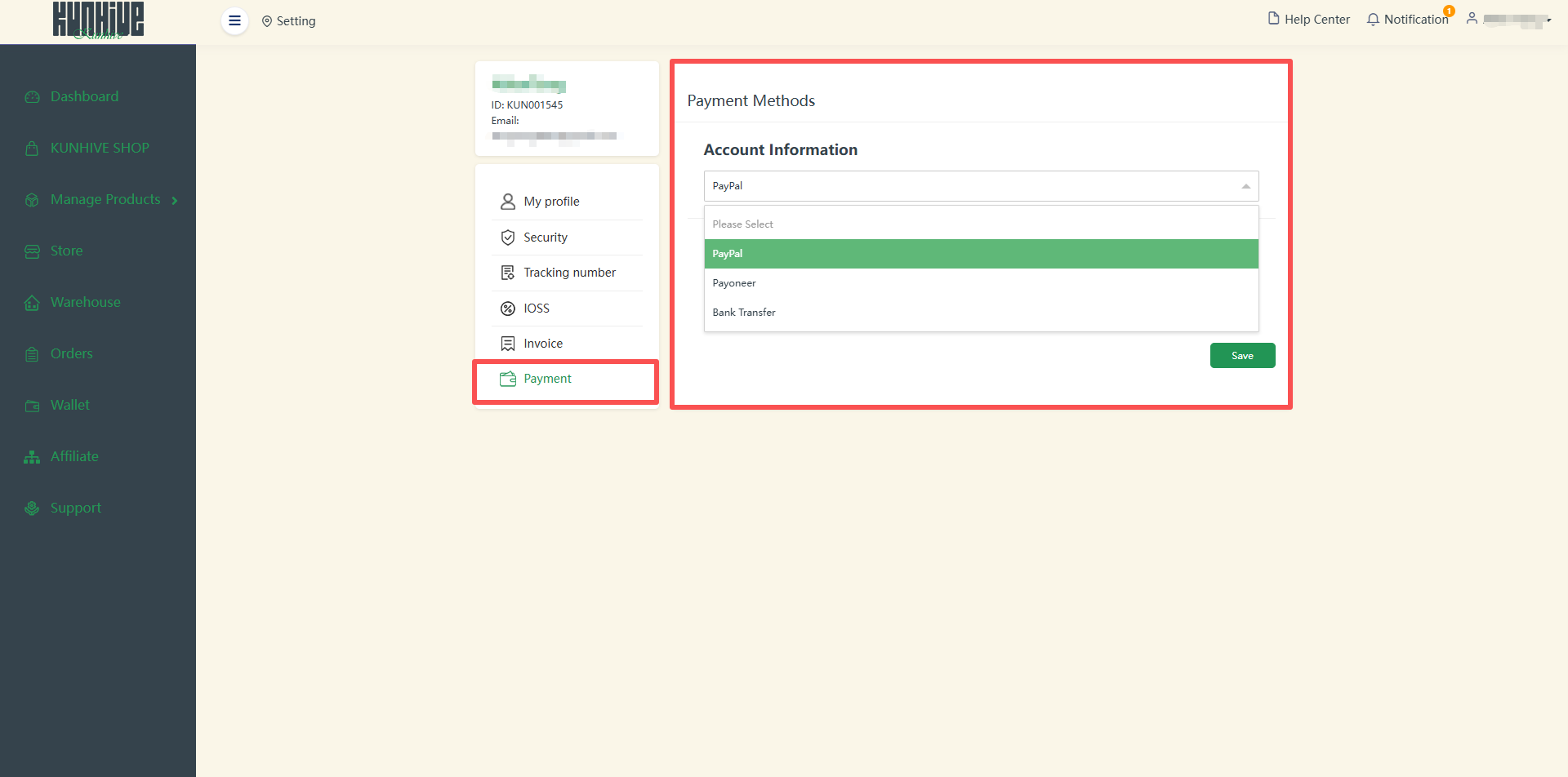
In ‘Payment’ part, you can change payment methods information, which will be conveneient for you to pay for your orders and receive your Affiliate commissions.
Above is all the Settings section.